Wise Circles
Fintech, Expense Sharing
2025/2026
Product Design

TL;DR
Goal
Drive organic growth through group-based onboarding while simplifying shared expense management.
Problem
Travelers manage shared expenses across scattered tools with no single source of truth.
Solution
Trip-based groups inside Wise that centralize expenses and turn every group trip into an onboarding opportunity for new users.
Impact
75% of 20 test participants said they'd use the feature.
What I Owned
In a team of 4:
Led all research: desk research, surveys, competitor benchmarking
Identified the group expense-splitting gap in Wise's product through competitor benchmarking
Contributed to user flows, UI design, and early testing
Designed and ran a solo validation study via Maze (20 participants)
The Brief
The Challenge
The D&AD New Blood Awards 2025 brief asked designers to help Wise reach new users organically. Wise already handles international transfers across 160+ countries and 40+ currencies. The question was: how can Wise create value that brings people to the platform through word of mouth, not ads?
The Constraint
Wise's "no hidden fees" principle became a core constraint: any new feature had to maintain that same transparency, especially around currency conversion.
Who We Designed For
Choosing a Segment
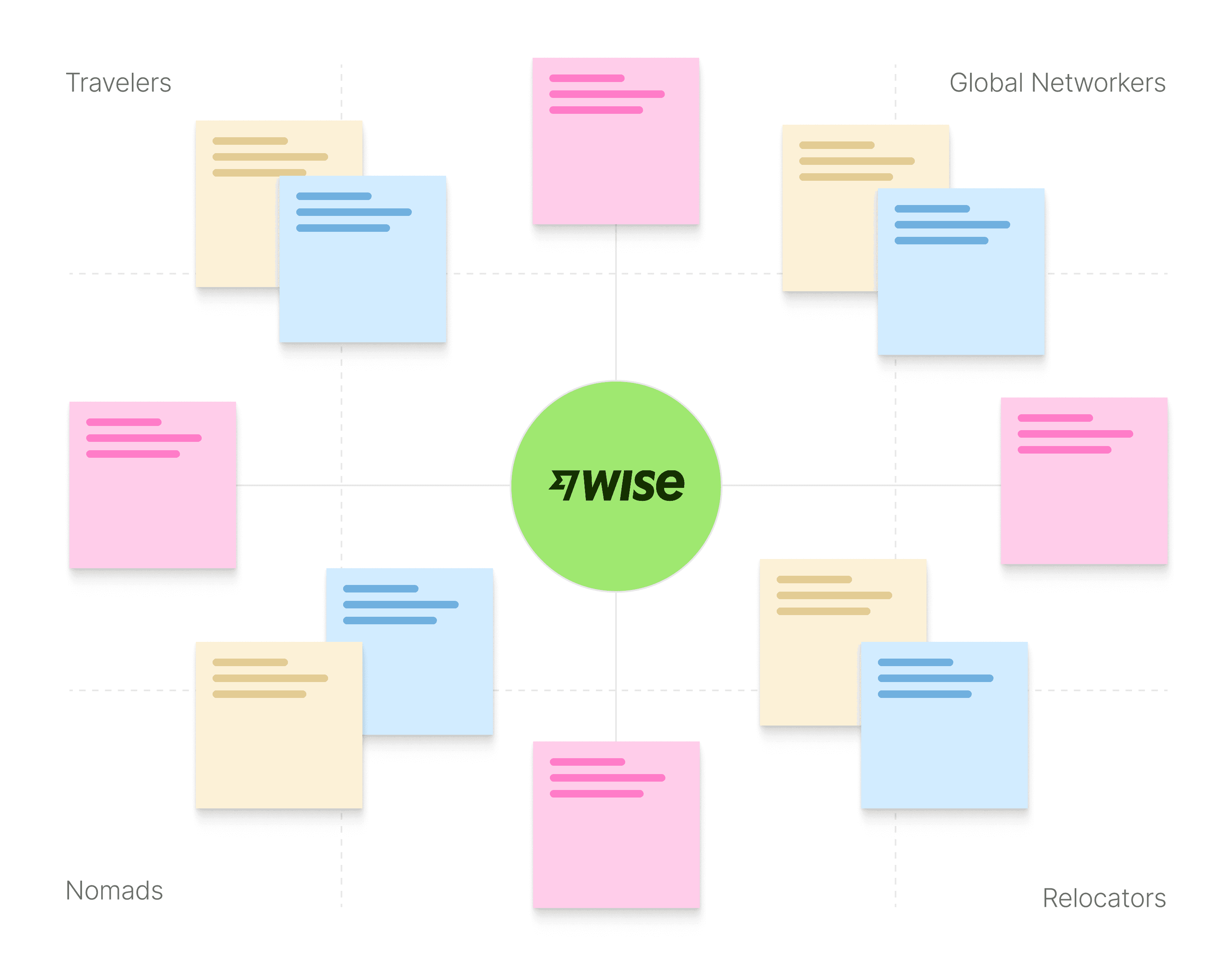
We mapped four user segments from the brief: Travelers, Nomads, Global Networkers, and Relocators. Each had different needs and different relationships with money.
We chose Travelers because their problems were social (shared expenses, splitting costs, settling debts) while the other segments had more individual needs (sending money home, relocation, freelance payments).
Our survey (7 respondents) confirmed the focus:
57% identified as travellers, nomads, or relocators
86% used Wise for foreign currency
43% named travel as a primary reason
What We Found
In a second survey (12 respondents) focused on expense splitting:
67% said it's hard to keep track of who owes what
67% find splitting bills stressful
43% use a bill-splitting app; the rest do it manually
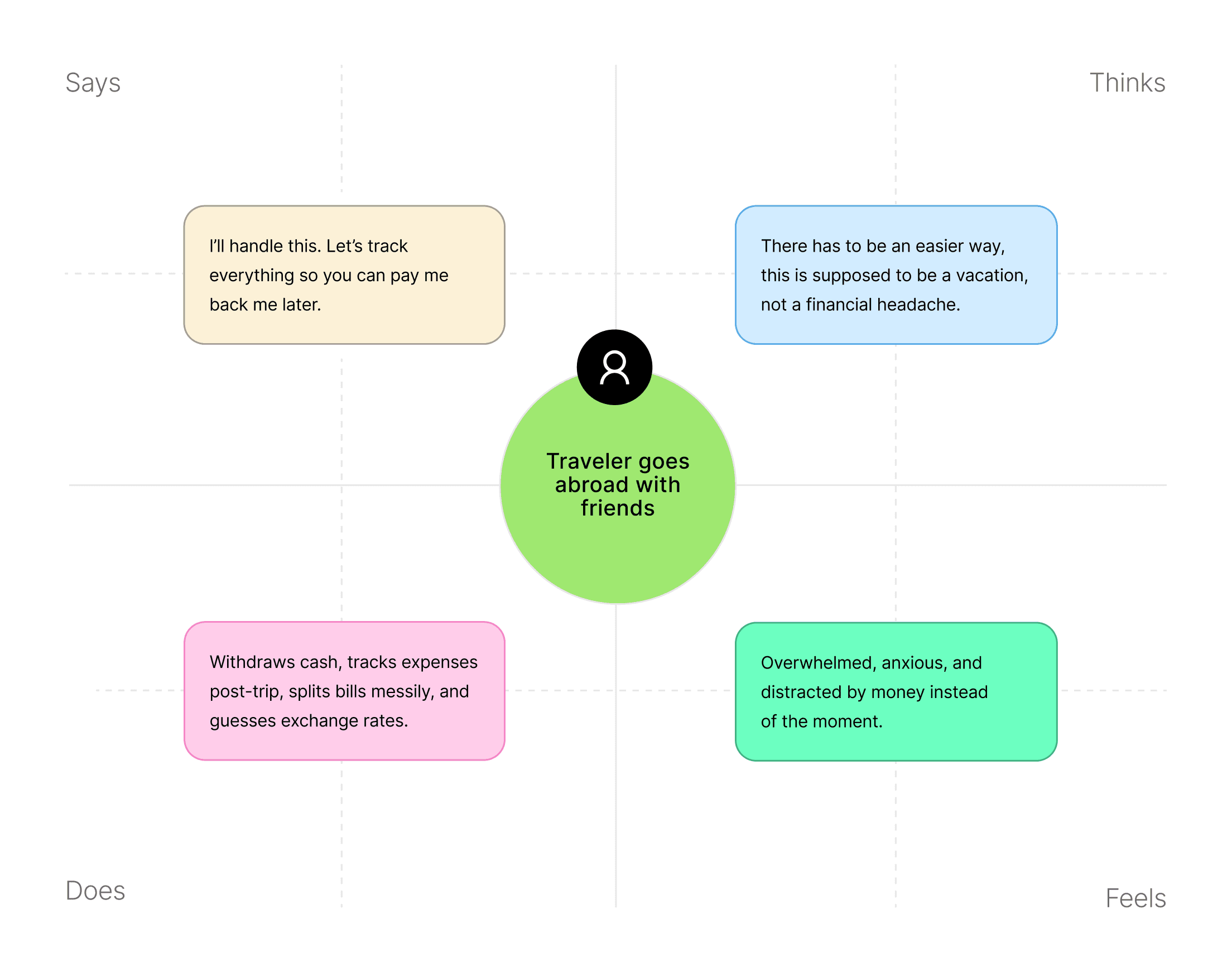
The survey confirmed the problem. To see how others were solving it, I audited Wise's existing features and benchmarked 5 competitors (Revolut, PayPal, Xoom, Payoneer, and Western Union) to see how each handled international transfers, fees, and group features. I also conducted desk research on group travel spending behavior. As a team, we built an empathy map from traveler insights.
The pattern was clear: this isn't just a logistics problem. It's a social friction problem. We weren't designing a calculator. We were designing a way to keep friendships intact.
Pain Points
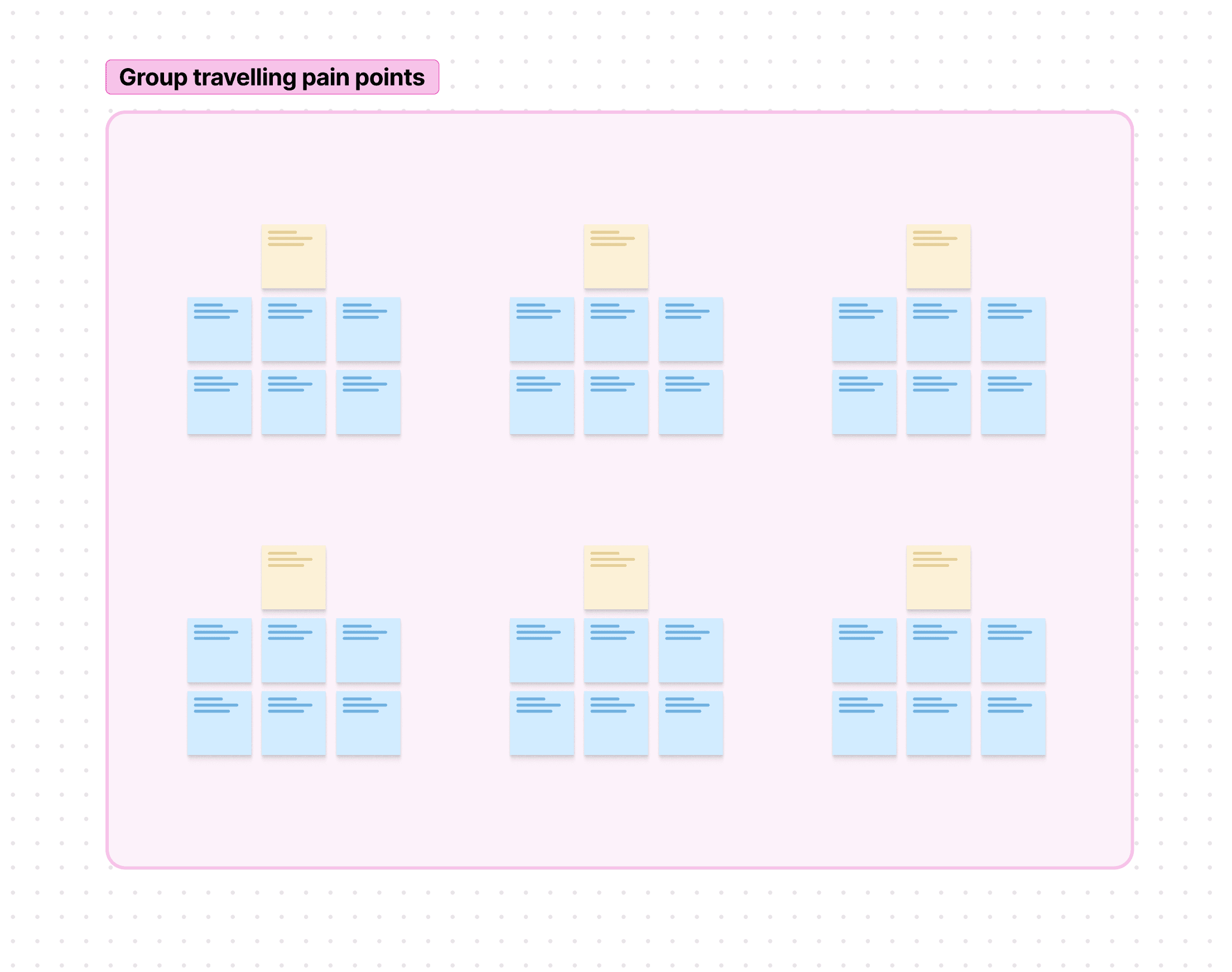
Across our survey, competitor analysis, and desk research, the same pattern kept showing up. Managing shared expenses during group trips is messy, and six pain points stood out:
Confusion over splits
Manually keeping track leads to errors, frustration, or mistrust.
Potential group tension
Money misunderstandings can dampen the trip's mood and create resentment.
Currency confusion
Hidden fees or bad exchange rates create fairness concerns.
Payment inconsistencies
Different banks, different fees, making cost splitting more complicated.
End-of-trip stress
Large outstanding balances settled last minute or after returning home.
Time-consuming logistics
Constant calculations, note-taking, or back-and-forth chat messages.
The Opportunity
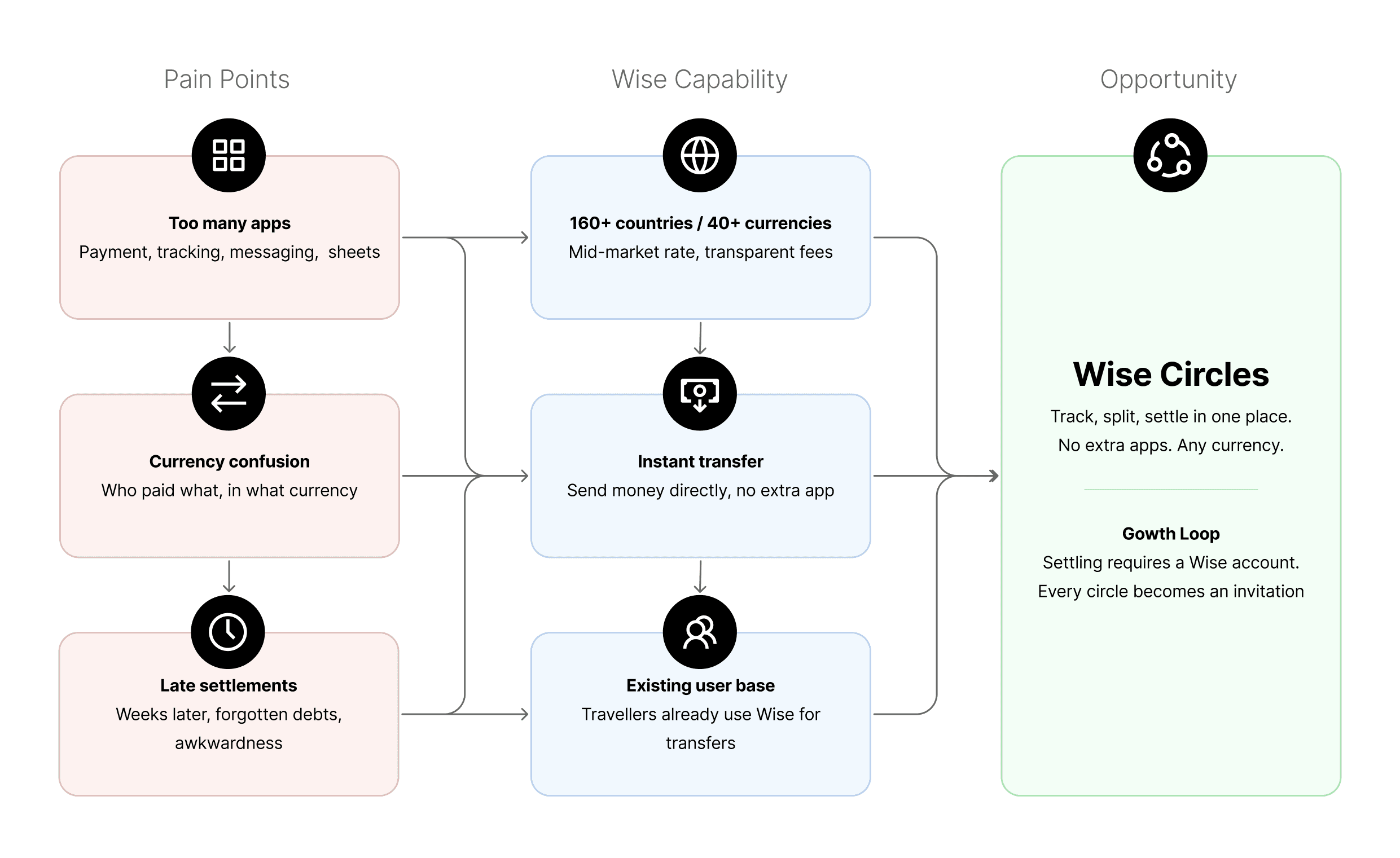
Travelers track shared expenses outside Wise, then return later to settle. This gap creates friction at social moments like dinners or group bookings. Bringing expense tracking and settlement into one place reduces that friction for users, while creating natural opportunities for others in the group to join Wise. Our hypothesis: if settling requires a Wise account, every circle becomes an invitation.
Problem Statement
How We Prioritized
Shaping the Solution
Using Airbnb’s 11-star framework and MoSCoW prioritization, we focused the product around three core actions: track, split, settle. Features like WhatsApp integration, receipt scanning, and platform plug-ins were cut to keep the scope realistic and testable.
Before opening Figma, we mapped the full user journey across three phases: before the trip (awareness and group setup), during the trip (expense logging, splitting, and real-time management), and after the trip (settlement and close-out). This gave every decision a clear anchor.
What We Designed
Overview
Wise Circles has six steps across three core flows: creating a group, adding and splitting expenses, and settling up. Each one required trade-offs between simplicity, transparency, and the brief's growth goal. All screens follow Wise's existing design system to ensure consistency with the platform.
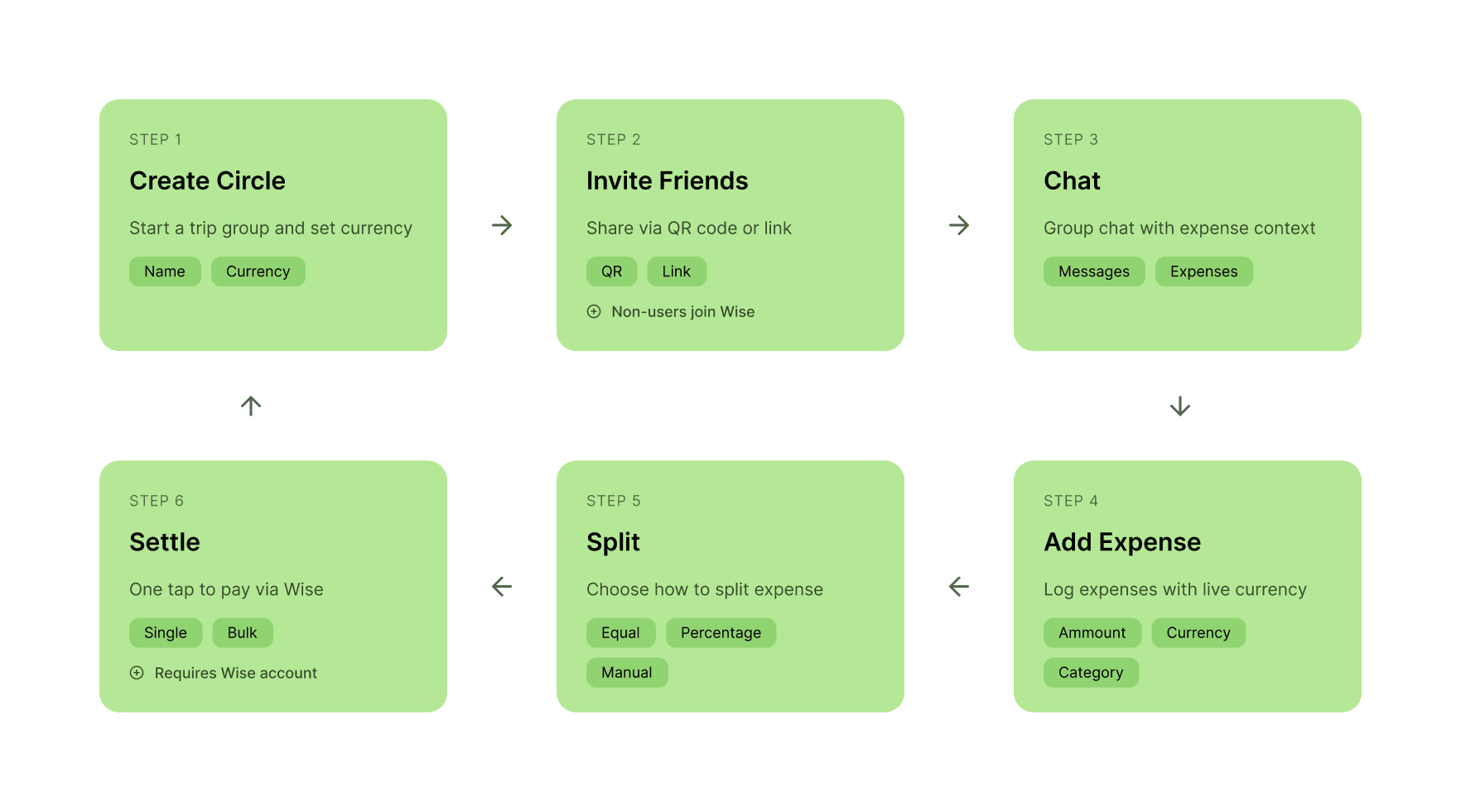
Creating a Circle
Circles are trip-based groups where friends track and settle expenses together. Users start by creating a Circle, choosing the currency they want to settle in, and inviting friends. Each trip stays organized, and members can settle balances as they go, so there's no awkward lump sum at the end.
Trade-offs: One-off splits still require creating a Circle, adding friction by design. We prioritized group-driven growth over single-use utility, and every expense lives in a shareable group.

Add & Split
Users can pull in existing expenses from their Wise account or create a new one. Every expense shows the original currency and the converted amount. Then one question: how would you like to split? All at once for equal splits, or customise one by one.
Trade-off: more steps, less speed. We traded simplicity and speed for transparency and clarity. Currency anxiety and splitting errors were bigger problems than a few extra steps.
Settle
Other apps only tell you who owes what. Wise actually moves the money. Settle each expense individually or clear everything at once, all in one tap.
Trade-off: Settling requires a Wise account. We considered guest payments but removing that requirement removes the growth loop. Long-term value over short-term convenience.
One Year Later
Why I Went Back
The D&AD project was submitted in March 2025. Nearly a year later, in February 2026, I went back.
I took the initiative to design and run a formal usability study via Maze with 20 participants, ages 25–40, travelers from the UK and EU. No classmates, no friends, no convenience sampling.
I wanted to answer three questions:
Can users complete the core flows?
Where do they get stuck?
Would they actually use this?
What I Tested
I tested the three core flows of Wise Circles on desktop. The prototype was designed for mobile, but at the time I didn't know Maze supported mobile testing. The flows were:
Create a Circle
Add an expense and split it
Settle expenses with others
2026 Insights
How Users Actually Split Expenses
Participants answered one open question in the Maze study before testing the prototype. Their responses reinforced what the initial 2025 research had surfaced: the problem is real, it's social, and existing tools aren't solving it. That question was: "How do you usually split travel expenses?"
One person pays, settles later
The most common pattern. One person covers costs, reconstructs totals post-trip, then requests bank transfers.
Manual tracking is the default
Notes apps, mental math, spreadsheets. Only a few mentioned dedicated tools like Splitwise. Most rely on memory.
Currency friction is real
One participant opened Revolut just to split costs between an American and European bank account. Cross-border settlement is a pain point Wise is uniquely positioned to solve.
Poor tracking strains relationships
Friend trips require careful tracking to avoid conflict. One participant noted that poor expense management "can turn into something that would prevent future travels."
Results
Task 1: Create a Circle
Users struggled at the start and end of the flow. On the home screen, clicks were scattered everywhere because nothing pointed them toward creating a Circle. On the invitation screen, they didn't know where to tap to move forward. Most got there eventually, but not naturally. The concept was clear, the entry point wasn't.

Task overview:
How easy was it to create a circle?
Task 2: Add Expense & Split
The custom expense step had a 100% misclick rate, but context matters. The task asked users to "add expenses" without clarifying that it required selecting two existing expenses and adding a custom one. Most participants selected from the list and tried to continue, which was the logical thing to do.
The 100% misclick rate reflects ambiguous task framing more than UI failure, though the screen does have competing actions that could benefit from clearer visual separation.
What works: Once users get past expense selection, the split flow is strong. The "How would you like to split?" prompt and the equal split screens validated that the step-by-step approach works. The custom expense form was also near-frictionless.

Task overview:
How easy was it to add expenses to split ?
Task 3: Settle Expenses
This task had an 80% success rate and a 60.7% misclick rate. Users generally settled one expense without issue but struggled to continue from there. The breakdown appears on the final screen, where three settlements are pending: the prototype expects users to click Quick Settle to clear all outstanding expenses, but participants instead clicked around the screen. The root cause may lie in the task instruction.

Task overview:
How easy was it to settle expenses with others?
Overview
After completing all three tasks, participants rated the feature on ease of use and overall interest. The high-level numbers look reasonable. But they hide the real story. The screen-level data told me exactly where the design broke.
0%
0%
15 testers
0%
0%
5 testers
What Users Said
Quick settle auto calculates is great.
Split expenses at the click of a button, no messing around.
I couldn't see an overview of how much I owe someone before I settle the expenses.
It wasn't necessarily clear to me where I should be looking for each task. I did like using the app though once I could figure out where to go.
Just Settle or Request — no IBAN, no fingerprint, nothing extra
The chat function looked useful so you can add context.
I am missing a smaller overview with all the expenses, just a simple list and clickable for more details. Now it is all in some sort of chat which makes me lose a little bit of oversight.
Too many options and the layout felt messy.
Reflections
What the Data Means
The core value proposition is validated. 75% would use the feature, and the split and settlement flows held up well once users were inside them. But the screens that failed share the same root cause: users can't find what they need inside a chat-based interface.
This matters beyond usability. If users can't complete settlement smoothly, they're less likely to invite others, and that IA failure weakens the growth mechanism the whole feature is built around.
That said, this was my first Maze test, and some task prompts may not have been precise enough, which could have affected how users interpreted certain screens.
What I'd Do Differently
The fix is structural: a dedicated expense overview outside the chat where users can see all expenses, balances, and settle actions in one place. The chat should supplement the experience, not anchor it.
If I ran this study again, I'd change two things:
Define success and failure criteria before testing, not after. I interpreted the data reactively instead of measuring against predefined thresholds.
Write clearer task prompts. The 'Add expense' task combined two actions on one screen, which inflated the misclick rate and made it harder to pinpoint what was actually causing them.

Key Learnings
75% "would use" is good, but the 25% matters more. The people who said no pointed to real usability issues, and the screen-level data confirmed exactly where those issues live. A product can have the right value proposition and still fail on information architecture. In future projects, I'd give users a clear overview of actions and content before embedding them inside conversational UI, and I'd pay closer attention to how users navigate between tasks, not just within them.